
Manual1 min read
Dashboard and Navigation
Understand the dashboard, card actions, and how to move through the app.
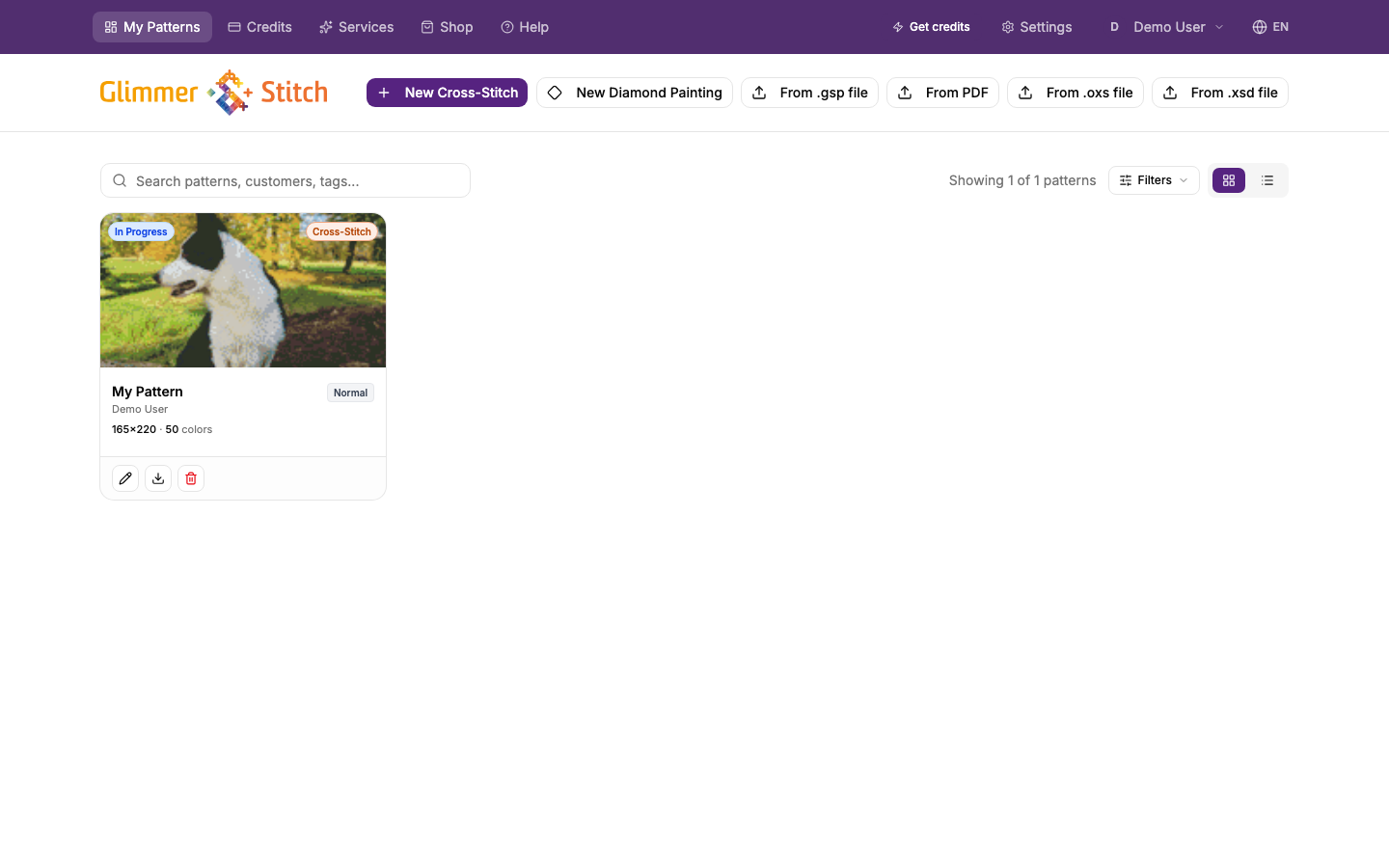
The dashboard is your control centre for your patterns.
What you can do here
- Create or import a new pattern.
- Search and filter existing patterns.
- Open a pattern in the editor.
- Use quick actions on each pattern card.
Pattern card quick actions
Most users will use these regularly:
- Edit details: rename, change status, adjust priority, due date, and tags.
- Export: open export options for that pattern.
- Duplicate: create a copy to experiment on without touching the original.
- Delete: permanently remove a pattern.
Search and filter tips
- Use search when you have many patterns.
- Filter by status to focus on active projects.
- Use type filters to separate cross-stitch and diamond painting patterns.
Navigation tips
- Use top navigation for major sections (patterns, credits, services, shop, support, help).
- Open Help from navigation whenever you need guidance for your current step.
 zoom
zoom